
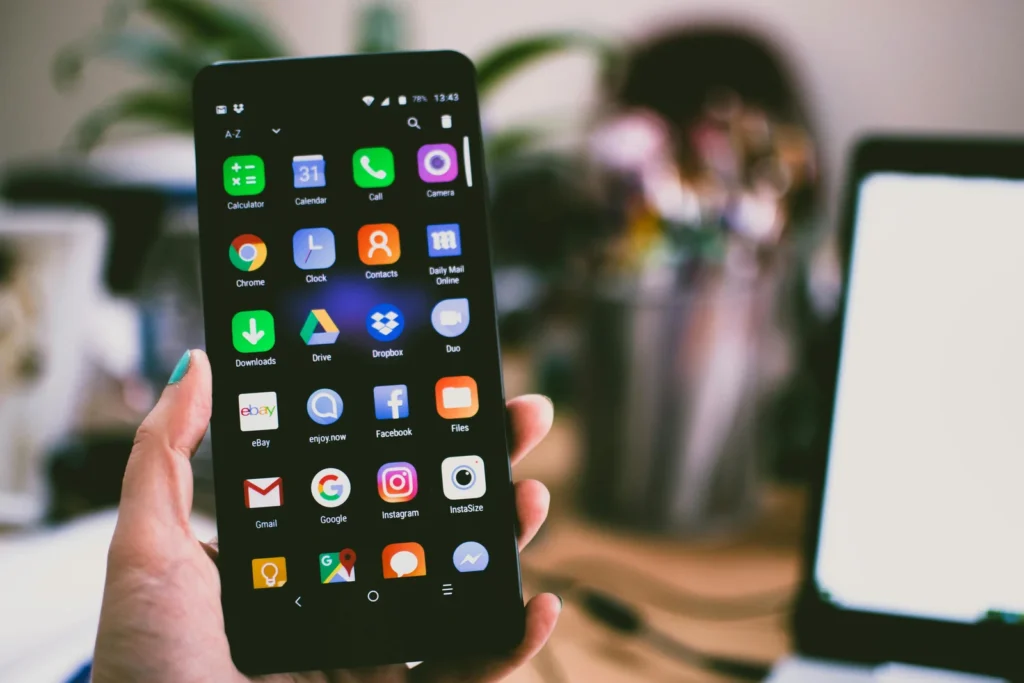
Plenty of “free” budgeting apps quietly funnel you toward a paid tier the moment you want bank syncing, more than a handful of categories, or reports that actually help. Finding free budgeting apps with no hidden subscription fees means looking past marketing claims and checking exactly what each free tier really includes versus what gets locked behind a paywall. This guide breaks down the real 2026 comparison across the most tested apps, exactly where each one’s free tier draws the line, and which ones stay genuinely free long-term.
Table of Contents
- The “free trial” trap to watch for
- Why the free budgeting app market shifted in 2026
- Full 2026 comparison at a glance
- 1. Rocket Money: best free overall
- 2. Goodbudget: best for envelope budgeting
- 3. EveryDollar: best for zero-based budgeting
- 4. PocketGuard: best for daily spending control
- 5. Empower: best for net worth tracking
- 6. Honeydue: best for couples
- 7. NerdWallet: best free credit score plus budgeting
- How AI features are changing free tiers
- Apps that market themselves as “free” but aren’t
- A real example: comparing total cost over a year
- Matching an app to your specific financial goal
- The real cost of switching apps later
- How to choose the right one for you
- Is it safe to link your bank account?
- Common mistakes when choosing a budgeting app
- Frequently asked questions
The “free trial” trap to watch for
According to PocketGuard, YNAB offers a real behavior-change budgeting method, but it’s not actually free after the 34-day trial — a distinction that trips up many people searching specifically for permanently free options. According to The Penny Hoarder, “free” on their comparison specifically means a permanent free tier, not a free trial, since apps like YNAB and Monarch Money only offer trials before requiring payment.
This distinction matters enormously when searching for free budgeting apps with no hidden subscription fees, since many “best free app” lists mix genuinely free permanent tiers with 14-to-45-day trials of apps that cost $79.99-$99 per year once the trial ends.
Why the free budgeting app market shifted in 2026
The landscape of free budgeting apps changed meaningfully following the shutdown of Mint, which for years had been the dominant genuinely free option relied on by millions of users before Intuit discontinued it in favor of directing users toward Credit Karma. According to Scout My Tool, this shutdown created a scramble among competing apps to capture displaced Mint users, and several previously subscription-only products responded by introducing more generous free tiers to compete for that audience.
This competitive pressure is part of why the current 2026 landscape includes several genuinely capable free tiers rather than the trial-only model that dominated a few years earlier — apps had a strong incentive to offer real, lasting value at no cost specifically to win over users searching for a Mint replacement. Understanding this recent history helps explain why free tier quality varies so much between apps that entered this competitive scramble versus those that maintained an existing trial-conversion business model.
Full 2026 comparison at a glance
According to PocketGuard‘s 2026 testing of nine apps, each free tier draws its limitation line in a different place — some restrict bank syncing, others cap the number of categories or accounts.
| App | Best for | Free tier limitation |
|---|---|---|
| Rocket Money | Killing off forgotten subscriptions | Bill negotiation and premium support need Premium |
| Empower | Net worth and investment tracking | Budgeting tools are basic; no category-level targets |
| Goodbudget | Envelope budgeting | Capped at 20 envelopes and one account on free plan |
| EveryDollar | Zero-based method, simplified | Bank sync requires paid tier; free version is manual entry |
| PocketGuard | Seeing exactly what’s safe to spend | Advanced “Pace” spending alerts require Plus |
| Honeydue | Couples wanting shared visibility | Bank sync reportedly unreliable; no new features since 2022 |
| NerdWallet | Free credit score plus light budgeting | No manual categories, no transaction splitting |
1. Rocket Money: best free overall
According to The Penny Hoarder, Rocket Money is the best free budgeting app overall, offering basic budgeting tools, subscription tracking, and limited spending categorization at no cost, with Premium available for $7-$14/month for those wanting bill negotiation and more advanced features. The core budgeting and subscription-cancellation tools remain genuinely free indefinitely, not just during a trial window.
This makes it a strong starting point for anyone whose primary goal is identifying and cutting forgotten recurring subscriptions — a category of spending that often hides a surprising amount of monthly waste.
2. Goodbudget: best for envelope budgeting
According to Yieldfund, Goodbudget offers a free tier that lets you use the digital envelope method, requiring manual transaction entry rather than bank syncing on the free plan — which some users find actually improves spending awareness compared to fully automated tracking. According to PocketGuard, the free plan is capped at 20 envelopes and one account, which suits simple household budgets but becomes limiting for more complex financial lives.
The manual entry requirement is a genuine tradeoff: no bank-linking privacy concerns, but more ongoing effort than apps that sync automatically.
3. EveryDollar: best for zero-based budgeting
According to Forbes Advisor, the free version of EveryDollar offers plenty of features many other apps charge for, including customizable budgets with unlimited categories, broad insights into spending trends, and net-worth tracking. According to Yieldfund, EveryDollar requires manual entry on the free plan, similar to Goodbudget, but the interface is intuitive and well-suited for beginners trying the Dave Ramsey zero-based method without committing to a fee.
Bank syncing is the feature gate here — it requires the $17.99/month or $79.99/year Premium tier, making EveryDollar’s free version best for those comfortable with manual transaction entry.
4. PocketGuard: best for daily spending control
According to PocketGuard’s own comparison, the free tier includes subscription tracking, spending analytics, and category-based budget targets, plus a real-time net worth view pulling together everything you own and owe. Its signature “In My Pocket” feature calculates what’s genuinely safe to spend after accounting for bills and savings goals, directly addressing the common problem of overspending because a checking account balance doesn’t reflect upcoming obligations.
Advanced “Pace” spending alerts, which project whether you’re on track to stay within budget before the month ends, require the paid PocketGuard Plus tier.
5. Empower: best for net worth tracking
According to USA Today, Empower and Honeydue are named among the best free budgeting apps in their 2026 testing. Empower’s free tier focuses heavily on net worth and investment tracking rather than granular category-level budgeting, making it better suited to investors who want a consolidated view of their full financial picture than to someone needing detailed spending categorization.
Empower’s paid wealth management service is entirely separate and requires a $100,000+ minimum investment, meaning the free budgeting and tracking tools carry no hidden upgrade pressure for typical users.
6. Honeydue: best for couples
According to Forbes Advisor, if you’re in search of a completely free budget app, consider Honeydue, which lets couples share visibility into combined finances without requiring a paid tier. According to PocketGuard’s testing, however, Honeydue’s bank sync is reportedly unreliable and the app hasn’t shipped new features since 2022 — a real tradeoff for anyone prioritizing active development and reliability alongside a free price tag.
7. NerdWallet: best free credit score plus budgeting
According to PocketGuard, NerdWallet’s app combines a free credit score with lighter budgeting tools, though it lacks manual categories and transaction splitting, and its recommendations are ad-supported. This makes it a reasonable secondary tool for users who want credit monitoring bundled with basic budget visibility, rather than a primary detailed budgeting solution.
How AI features are changing free tiers
According to Finny, newer entrants are offering AI-assisted expense tracking without subscription fees or requiring a bank connection at all, appealing specifically to privacy-conscious users who want automated categorization without linking their financial accounts to a third party. According to Moneko, AI automation is increasingly common even in free tiers, handling recurring bill detection and spending pattern alerts that previously required manual review or a paid upgrade.
This trend toward AI-powered free features represents a meaningful shift from just a few years ago, when most automation — beyond basic transaction categorization — was reserved for paid subscription tiers across nearly every budgeting app on the market.
Apps that market themselves as “free” but aren’t
According to MoneyWiseHub, Monarch Money offers a free trial before converting to $99/year, and YNAB similarly converts to a paid subscription after its 34-day trial window. These apps frequently appear on “best free” lists because the trial experience is genuinely strong, but neither offers a permanent free tier for ongoing use.
| App | Marketed as | Reality |
|---|---|---|
| YNAB | Popular budgeting app | 34-day trial only, then paid subscription |
| Monarch Money | Overall budgeting app | Free trial only, then $99/year |
| CountAbout | Couples budgeting | 45-day trial, then $19.99-$64.99/year |
Checking specifically whether “free” refers to a permanent tier or a time-limited trial before committing time to setting up an app avoids the frustration of losing access to your budget data once a trial period ends.
A real example: comparing total cost over a year
Let’s walk through a concrete comparison. Say you’re deciding between three apps that all appeared on “best free” lists.
| App | Year 1 cost | Ongoing annual cost |
|---|---|---|
| Rocket Money (free tier) | $0 | $0 indefinitely |
| Goodbudget (free tier, 20 envelopes) | $0 | $0 indefinitely |
| YNAB (after 34-day trial) | $0 for 34 days | ~$109/year after trial |
| Monarch Money (after trial) | $0 during trial | $99/year after trial |
Over three years, choosing YNAB or Monarch Money instead of a genuinely free alternative like Rocket Money or Goodbudget costs $297-$327 more — money that could instead go directly toward the savings or debt payoff goals the budgeting app is meant to support in the first place.
Matching an app to your specific financial goal
Beyond general feature comparisons, the right free budgeting app often depends heavily on what specific financial goal you’re trying to accomplish this year, rather than which app has the highest overall rating. Someone focused on aggressively paying down debt benefits from different features than someone primarily trying to build an emergency fund or simply understand where money disappears each month.
| Primary goal | Best-suited free app |
|---|---|
| Canceling forgotten subscriptions | Rocket Money |
| Building an emergency fund with discipline | Goodbudget (envelope method) |
| Following a structured zero-based plan | EveryDollar |
| Avoiding overspending day-to-day | PocketGuard |
| Tracking net worth alongside investments | Empower |
| Managing shared household finances as a couple | Honeydue |
Rather than testing every one of these free budgeting apps simultaneously, picking the one aligned with your single most pressing financial goal this year and committing to it for at least 60-90 days gives a more realistic sense of whether that specific app’s free tier actually supports the habit you’re trying to build. For a broader framework on setting that initial goal, see our guide on how to set financial goals.
The real cost of switching apps later
Beyond the subscription fees discussed throughout this guide, switching budgeting apps carries a real but often overlooked cost: lost historical spending data and the time required to rebuild categorization habits in a new interface. This is worth factoring in before choosing among these free budgeting apps purely based on current free-tier limitations, since a slightly more restrictive but well-established app you’ll actually stick with often beats hopping between multiple apps chasing marginally better free features.
Exporting your transaction history periodically, regardless of which app you use, creates a portable backup that reduces this switching cost if your needs or the app’s pricing structure change down the road.
How to choose the right one for you
- Decide if you want bank syncing or manual entry — automatic sync is convenient, manual entry can build more spending awareness
- Identify your primary goal — subscription tracking, envelope budgeting, net worth tracking, or shared couple visibility
- Check the specific free tier limits — category caps, account caps, or feature gates vary significantly by app
- Confirm “free” means permanent — not a 14-to-45-day trial that converts to a paid subscription
- Test for at least one full pay cycle — a month of real use reveals whether the free tier’s limits actually affect your workflow
Is it safe to link your bank account?
Budgeting apps that offer automatic bank syncing typically use third-party financial data aggregators like Plaid, which use bank-level encryption and read-only access rather than storing your actual banking credentials within the app itself. According to freebudget.org, a genuinely trustworthy free app should also confirm no selling of user data to third parties as part of its actual free-tier terms, not just its marketing language.
For users uncomfortable with any bank-linking, apps like Goodbudget and EveryDollar’s free tiers that rely on manual entry avoid this concern entirely, at the cost of more ongoing manual effort to keep the budget current.
Common mistakes when choosing a budgeting app
- Confusing a free trial with a permanent free tier — leads to unexpected charges once the trial period ends
- Choosing based on app store ratings alone — ratings don’t reveal which specific features are locked behind a paywall
- Ignoring category or account caps — a 20-envelope limit that seems generous initially can become restrictive as your budget grows more detailed
- Not testing manual entry apps for a full month — the ongoing effort required only becomes apparent after real, sustained use
- Overlooking data privacy terms — some “free” apps monetize user data rather than charging a subscription fee directly
Frequently asked questions about free budgeting apps
What’s the best completely free budgeting app in 2026?
According to The Penny Hoarder, Rocket Money is rated the best free budgeting app overall for 2026, offering genuine ongoing free access to basic budgeting, account syncing, and subscription tracking without requiring a paid upgrade for core functionality.
Is YNAB actually free?
No. YNAB offers a 34-day free trial, after which it converts to a paid subscription costing roughly $109 per year. It frequently appears on “best budgeting app” lists for its strong methodology, but it does not have a permanent free tier.
Do free budgeting apps sell my financial data?
It varies by app — some free apps are ad-supported or use anonymized data for revenue, while others explicitly state they don’t sell user data as part of their business model. Checking each app’s specific privacy policy before linking a bank account is worth the extra few minutes.
Should I choose a manual entry app or one with bank syncing?
Manual entry apps like Goodbudget and EveryDollar’s free tier avoid bank-linking privacy concerns and can build stronger spending awareness, while bank-synced apps like Rocket Money and PocketGuard save time by automatically categorizing transactions. The right choice depends on whether you prioritize convenience or hands-on engagement with your spending data.
Can I switch budgeting apps without losing my data?
Most apps allow exporting transaction history as a CSV file, though the level of detail preserved during a switch varies by app. Checking export options before committing significant time to setting up a new budget avoids being locked into a single platform.
Ultimately, the growing competition among these free budgeting apps since the Mint shutdown has genuinely benefited consumers, since multiple providers now offer meaningfully more capability at no cost than was typical just a few years ago. Taking the time to match features to your actual goal, rather than defaulting to whichever app ranks highest on a generic list, is what determines whether a free tool becomes a lasting habit or another abandoned app after a few weeks.
The bottom line on free budgeting apps
The best free budgeting apps with no hidden subscription fees in 2026 — Rocket Money, Goodbudget, EveryDollar, PocketGuard, Empower, Honeydue, and NerdWallet — each draw their free-tier line in a different place, so matching the specific limitation to your actual needs matters more than chasing the highest-rated app overall. Watch specifically for apps marketed as free that are actually time-limited trials, since YNAB and Monarch Money can cost $99-$109 a year once that window closes. For next steps, see our guides on how to create a budget, the 50/30/20 budget rule, and how to calculate net worth.
Disclaimer: This article is for informational and educational purposes only and does not constitute financial advice. App features and pricing change frequently; verify current terms directly with each provider before linking financial accounts.
Keep reading

Buy Now Pay Later: 7 Smart, Essential Facts to Know
Buy now pay later explained: pay-in-4 vs interest loans, fees, credit impact, CFPB findings, a worked example and a 10-question self-check.
Read the guide →
CD Ladder: 5 Smart, Proven Steps to Build One
A cd ladder spreads savings across CDs that mature in turn. See a worked $25,000 example, rate scenarios, taxes and a checklist before you build one.
Read the guide →
Savings Account vs Checking Account: 7 Smart, Easy Tips
Savings account vs checking account: see the real differences, fees, FDIC safety, and how to split a $4,200 paycheck with a simple worksheet.
Read the guide →Keep going: see the full Personal Finance Basics: Your Complete Guide to Money for every guide on Personal Finance in a suggested order.