
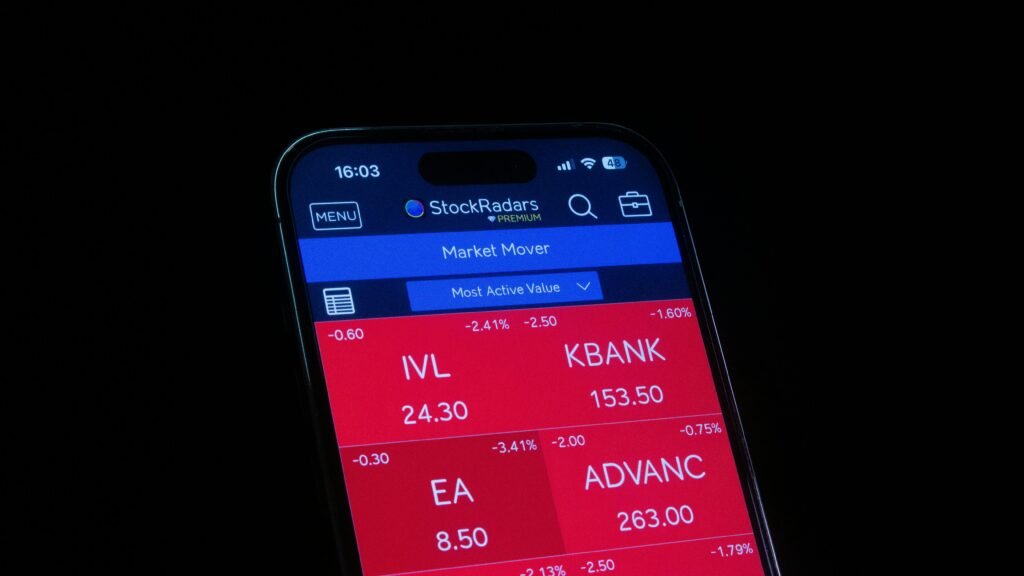
The best investment apps for beginners share a few traits: low and clearly stated costs, no big minimum to start, simple screens, and real legal protections behind them. The hard part is that the label “investing app” covers very different products. Some are full brokerages, some are automated robo-advisors, and some invest your spare change. Picking the wrong type can cost you more than picking the wrong brand.
This guide is about how to choose, not about crowning a winner. Features and prices change often, so a ranked list goes stale fast. A method does not. You will learn what each kind of app does, how fees really add up, what fractional shares are, which account types matter, and what protection you do and do not get. You will also work through numbers you can reuse.
Everything below is general education for US readers, not financial, tax, or legal advice. All dollar figures in examples are hypothetical illustrations, not forecasts or offers from any company.
Table of Contents
What the best investment apps for beginners actually do
An investing app is a front door, not an investment
An investing app is only a way to reach an account. The money inside is held at a financial firm and put into things like stocks, bonds, and funds. The app is the screen you use to deposit cash, choose what to buy, and watch the balance. That is why the best investment apps for beginners are judged on what sits behind the screen: the firm, the fees, and the account type. That simple fact shapes every choice among the best investment apps for beginners.
Two apps can look almost the same and still work very differently. One may let you pick every holding yourself. Another may choose a mix for you and charge a yearly percentage. A third may move a few dollars at a time from your bank. Knowing which model you are signing up for is the first real step.
What “beginner-friendly” should mean
A beginner-friendly app helps you avoid common errors. It should show total costs plainly, let you start with a small amount, offer broad low-cost funds, explain jargon, and make it hard to trade by accident. It should also support the account you actually need, such as an IRA, not just a taxable account. Use that as a filter when you compare the best investment apps for beginners.
Flashy features can work against you. Constant alerts, confetti, and trending lists nudge people toward frequent trading, which tends to raise costs and taxes. When you compare the best investment apps for beginners, treat calm design and good education as features, and treat gamified design as a yellow flag.
Before you pick any app: the money foundation
An app cannot fix a shaky budget. Money you may need within a year or two usually does not belong in stocks, because prices can fall right when a bill arrives. Many people build a cash cushion first. Our guide on building a 3-month emergency fund from scratch shows how, and the emergency fund calculator can size it for you. Even the best investment apps for beginners work only on money you can leave alone.
High-interest debt matters too. If a card charges 25% interest, paying it down is a guaranteed return that most investments cannot match. The debt payoff calculator can help you weigh debt payments against investing.
The three types behind the best investment apps for beginners
Brokerage apps
A brokerage app gives you a self-directed account. You decide what to buy, from individual stocks to exchange-traded funds and mutual funds. Most large brokerages today charge no commission on online stock and ETF trades, though other fees can still apply. You get the most control and usually the lowest ongoing cost, but you also make every decision. Many of the best investment apps for beginners follow this model.
Robo-advisor apps
A robo-advisor builds and manages a portfolio for you, based on a questionnaire about your goals and comfort with risk. The SEC describes these as automated digital advisory programs, often with little human contact. You pay a yearly percentage of your balance, or sometimes a flat monthly fee. We cover them in depth in robo-advisors explained.
Micro-investing apps
A micro-investing app aims to get you started with tiny amounts. Some round up everyday purchases and invest the difference. Others let you schedule small recurring deposits. These apps often charge a flat monthly fee, which is small in dollars but can be large as a percentage of a small balance. The math appears later in this guide. Some of the best investment apps for beginners start here.
Choosing among brokerage apps: the best investment apps for beginners who want control
What a brokerage account gives you
A brokerage account is the most flexible tool. You can buy a single fund that holds hundreds or thousands of companies, add to it each month, and never touch anything else. Among the best investment apps for beginners in this category, the ones worth considering make that simple path obvious rather than burying it under trading tools. Still, the best investment apps for beginners in this group keep the basics front and center.
The trade-off is responsibility. No one rebalances for you, and no questionnaire protects you from a bad choice. If you are comfortable learning a few basics, this model is hard to beat on cost.
The basics to understand first
Three ideas cover most of what a new investor needs. A stock is a small ownership share in one company. A bond is a loan that pays interest. A fund bundles many of them. Our explainers on how the stock market works and how bonds work cover the first two.
For funds, start with what an ETF is and what a mutual fund is. Broad index funds are the usual starting point, and how to invest in index funds walks through the process.
Features that matter in a brokerage app
- No account minimum, or a minimum you can easily meet.
- No commission on stock and ETF trades, with a clear fee schedule for everything else.
- Access to broad index funds and ETFs with low expense ratios.
- Automatic recurring investments, so saving does not rely on willpower.
- Retirement accounts such as a Roth IRA, not just a taxable account.
- Reachable customer support and solid educational material.
Who a brokerage app suits
A brokerage app suits someone who wants low cost and is willing to make a few choices once, then leave them alone. If you will buy one or two broad funds and add money monthly, you do not need much else. If the idea of picking funds makes you freeze, a robo-advisor may feel better at first. This is a common pick among the best investment apps for beginners.
Robo-advisors among the best investment apps for beginners: when automation pays
How a robo-advisor works
You answer questions about your age, goals, income, and risk comfort. The service assigns a mix of stock and bond funds, then keeps that mix on target. When markets move, it rebalances by selling a little of what grew and buying what lagged. Some also offer tax-loss harvesting. You can read about that technique in what is tax-loss harvesting. Most of the best investment apps for beginners in this category follow the same steps.
What it costs
Robo-advisors usually charge an annual percentage of assets, and the funds inside carry their own expense ratios on top. Some charge a flat monthly fee instead. The SEC’s investor education site notes that a low advisory fee does not guarantee low total cost if the underlying products are expensive, so add both layers together. Cost is where the best investment apps for beginners separate themselves.
The worked example later in this guide shows how a small yearly difference grows over decades. A quarter of a percent can look trivial, yet it compounds like interest in reverse.
Questions to ask a robo-advisor
The SEC lists useful questions to ask before you sign up. How much access to a person do you get? How is your risk tolerance measured? How often does it rebalance? Which account types does it support? What are all the fees, including for transfers and closing the account? How does the firm make money, and does it favor its own products?
Most US robo-advisors are registered with the SEC or state regulators and file a public disclosure form. You can check a firm in the SEC’s adviser database on Investor.gov before you deposit anything.
Who a robo-advisor suits
A robo-advisor can make sense if you want a ready-made portfolio, tend to panic or tinker, or simply want one less thing to manage. Paying a modest percentage buys convenience and discipline. Whether that is worth it depends on your balance, as the worked examples show. For the wider picture, see our investing for beginners guide. If that sounds like you, include a robo-advisor in your list of the best investment apps for beginners.
Micro-investing and the best investment apps for beginners: small amounts, fixed fees
The round-up idea
Round-ups link a debit or credit card and invest the difference between each purchase and the next whole dollar. A $3.60 coffee sends 40 cents to your account. It feels painless, and it can build a habit for people who have never invested. The catch is that the dollar amounts are small, so any flat fee takes a large bite. Few of the best investment apps for beginners are as easy to start as this.
Why flat fees hurt small balances
Suppose an app charges $3 per month, or $36 per year. On a $300 balance, that is 12% of your money every year. On $1,000 it is 3.6%. On $5,000 it is 0.72%. The fee does not change, but its weight shrinks as the balance grows. That is why a flat-fee micro-investing app can be costly at the very start, when you are most likely to use it.
When micro-investing still makes sense
If a round-up app is what gets you to invest at all, the habit may be worth some cost, as long as you see the fee clearly. A good plan is to treat it as a bridge. Once you have a few hundred dollars and a steady routine, you can move to a no-fee or low-fee brokerage account and automate deposits there. If you are starting very small, our guide on how to start investing with $100 or less covers options. Keep the fee in view, as you would with any of the best investment apps for beginners.
Comparing the best investment apps for beginners by type
How the models differ
The table below compares app categories, not specific companies. Real products vary, so use it as a map of what to look for, then check each firm’s current fee page. Treat it as a quick screen for the best investment apps for beginners.
| Feature | Brokerage app | Robo-advisor app | Micro-investing app |
|---|---|---|---|
| Who picks investments | You | The service, from your questionnaire | You pick a preset mix, or the app does |
| Typical cost structure | No trade commission on stocks and ETFs; fund expense ratios apply | Percent of assets or flat fee, plus fund expense ratios | Often a flat monthly fee, plus fund expense ratios |
| Starting amount | Often none; some funds have minimums | Varies; some have none, some require a set amount | Usually very small |
| Rebalancing | You do it | Automatic | Automatic or limited |
| Retirement accounts | Commonly offered | Often offered | Varies by app |
| Best for | Hands-on, cost-focused people | People who want a managed mix | People building a first habit |
| Main watch-out | Easy to overtrade | Fees add up on top of fund costs | Flat fee is heavy on small balances |
Reading the table honestly
No column wins on every line. A brokerage app is cheapest for a disciplined person, a robo-advisor trades cost for convenience, and a micro-investing app trades cost for habit. The best investment apps for beginners are the ones whose trade-off matches your personality, not the ones with the most features.
The fees that separate the best investment apps for beginners from the rest
Account and advisory fees
Look for three layers of cost. The first is what the app itself charges: a monthly fee, a percentage of assets, or nothing. The second is what the funds inside charge. The third is a set of occasional fees for things like wire transfers, account transfers out, paper statements, or inactivity. A strong fee page lists all of them in one place. Add them up for each of the best investment apps for beginners you consider.
Expense ratios
An expense ratio is the yearly cost of a fund, shown as a percent. A fund with a 0.05% ratio costs $5 per year for every $10,000 invested. A fund at 0.75% costs $75. Index funds and index ETFs often sit at the low end. Always check the ratio before you buy, and compare it with similar funds. Our piece on index funds vs ETFs explains the difference. Every one of the best investment apps for beginners should show it before you buy.
Why small percentages matter
Fees are one of the few parts of investing you can control. Markets are unpredictable, but a 1% yearly cost is certain. Over decades that certainty adds up, which is why fee comparison is central when you evaluate the best investment apps for beginners. The next section puts numbers on it.
Worked example: how fees change what the best investment apps for beginners deliver
The assumptions
This example is a hypothetical illustration, not a forecast. Example: Maya, age 25, invests $200 at the end of every month for 30 years. We assume the investments earn 6% per year before costs (an effective annual rate, applied month by month). We then subtract four different yearly cost levels. The 6% figure is chosen only to make the math easy to follow. Real returns vary and can be negative. It shows what the best investment apps for beginners cost over time.
The results
| Total yearly cost | Value after 10 years | Value after 30 years | Lost to costs vs. no cost, 30 years |
|---|---|---|---|
| 0% (no cost, for reference) | $32,495 | $194,903 | $0 |
| 0.05% (very low-cost index fund) | $32,411 | $193,154 | $1,749 |
| 0.25% (low-cost managed mix) | $32,081 | $186,332 | $8,571 |
| 0.75% (moderate) | $31,270 | $170,440 | $24,463 |
| 1.50% (high) | $30,095 | $149,413 | $45,490 |
Maya deposits $72,000 in total over 30 years. At 0.05%, she ends with about $193,154. At 1.50%, she ends with about $149,413, which is roughly $43,700 less, for the same deposits and the same assumed market return. Numbers like these explain why fees rank so high among the best investment apps for beginners.
What the example teaches
The first decade barely shows the damage. After 10 years the gap between the cheapest and priciest column is only about $2,300. The gap explodes later because costs reduce the balance that would have compounded. This is the same force described in compound interest explained, and you can test your own inputs with the compound interest calculator. Keep this in mind when you weigh the best investment apps for beginners.
The lesson is not that a managed service is always a bad deal. A 0.25% total cost is modest. The lesson is that every layer of cost counts, and the best investment apps for beginners make that total easy to see.
Worked example: flat fees and the best investment apps for beginners
Setup
Another hypothetical illustration. Example: Jordan invests $100 per month for 5 years, with a 6% assumed yearly return before costs. Jordan compares two apps. App A charges nothing and holds a fund costing 0.00% in this simplified case. App B charges a flat $3 per month. The total deposited is $6,000 either way. It tests how the best investment apps for beginners treat small balances.
Result
| Option | Balance after 5 years |
|---|---|
| App A, no fee | $6,949 |
| App B, $3 per month flat fee | $6,740 |
| Difference | $209 |
The $209 gap equals about 3.5% of the money Jordan put in, over only five years. A percentage-based robo-advisor charging 0.25% per year on the same deposits would end near $6,906, a gap of only about $43. Flat fees favor larger balances, and percentage fees favor smaller ones. Small balances make this the most important test for the best investment apps for beginners.
The break-even idea
A $36 yearly flat fee equals 0.25% of a $14,400 balance. Below that balance, the flat fee costs more than a 0.25% charge. Above it, the flat fee costs less. Use that rule to compare any flat-fee app with any percentage-fee app: divide the yearly flat fee by the percentage rate.
Fractional shares in the best investment apps for beginners
What a fractional share is
A fractional share is a slice of one share. If a stock trades at $400 and you invest $50, you own 0.125 of a share. Without this feature, a small investor would have to save up for a whole share. With it, you invest by dollar amount rather than by share count.
Why the feature matters for beginners
Fractional investing lets you put every dollar to work, including the odd $27 left from a paycheck. It also makes recurring deposits clean, because each deposit can buy exactly what it covers. And it makes diversification easier on a small budget, since you can spread $100 across several holdings. Most of the best investment apps for beginners now offer some version of it.
Limits to check
- Not every stock or fund may be available in fractions.
- Fractional shares can sometimes be hard to move to another firm in their original form.
- Some apps place trades at set times, so the price you get may differ from what you saw.
- Fractional trading is not a reason to buy individual stocks; a broad fund is still the simpler core.
Before you rely on fractions, read how the app handles transfers out. A smooth exit matters if you later want to move your account.
Account types the best investment apps for beginners should offer
Taxable brokerage account
A taxable account has no special tax treatment and no contribution cap or withdrawal rules. You can add and withdraw money at any time. In exchange, you may owe tax on dividends and on gains when you sell. This account suits goals that are a few years to many years away and that are not retirement. See what capital gains tax is for how sales are taxed. The best investment apps for beginners offer this account type as a baseline.
Roth IRA and traditional IRA
An IRA is a retirement account you open yourself, and most investing apps can hold one. For 2026, the IRS lists an IRA contribution limit of $7,500, with a $1,100 catch-up for people age 50 and older. A Roth IRA is funded with after-tax money, and qualified withdrawals in retirement are tax-free. A traditional IRA may give a tax deduction now, with taxes due on withdrawal later. Check that the best investment apps for beginners on your list support it.
Roth IRA eligibility phases out with income. For 2026, the IRS lists a phase-out range of $153,000 to $168,000 for single filers and $242,000 to $252,000 for married couples filing jointly. Details and exceptions apply, so confirm your own situation. Our guides on Roth IRA vs traditional IRA and opening a Roth IRA step by step go further.
Employer plans first
If your job offers a 401(k) with a match, that match is often worth capturing before you add a separate app-based account. Read what a 401(k) is and how it works and check the current limits in 401(k) and IRA contribution limits for 2026.
Other account types you may see
- Custodial accounts, which an adult manages for a minor.
- 529 plans for education, covered in what a 529 plan is.
- Health savings accounts, which some apps now hold; see what an HSA is.
- Joint accounts for couples.
Match the app to the account
A common surprise is choosing an app and then learning it does not offer the account you want. Check the account list before you sign up. If you want retirement savings, confirm that the app offers the IRA type you plan to use. The best investment apps for beginners support at least a taxable account and both IRA types.
Safety checks for the best investment apps for beginners: SIPC and FDIC
What SIPC does
The Securities Investor Protection Corporation, or SIPC, is a nonprofit that steps in when a member brokerage firm fails and customer cash or securities are missing. SIPC states that it protects the securities and cash in a brokerage account up to $500,000, and that the $500,000 includes up to $250,000 for cash held to buy securities. The coverage is per customer, per separate capacity. Protection of this kind should be on your list of must-haves for the best investment apps for beginners.
What SIPC does not do
SIPC is not market-loss insurance. If your fund drops 20% because stocks fell, SIPC does not make you whole. It also does not protect against a bad investment decision. SIPC states that some assets, such as certain digital asset securities, are not covered. Always confirm that the firm is a SIPC member, which you can do on the SIPC website at sipc.org.
How FDIC insurance differs
FDIC insurance covers deposits at insured banks. It does not cover stocks, bonds, or funds, even if you buy them through a bank. Some investing apps move uninvested cash to partner banks, and in that case the deposit protection comes from those banks rather than SIPC. Ask the app how it holds your idle cash, and which partner banks are involved. For more on bank safety, see high-yield savings accounts.
Regulation and registration checks
Brokerages are regulated by the SEC and the Financial Industry Regulatory Authority, and robo-advisors are generally registered as investment advisers. The SEC’s Investor.gov site lets you search registered advisers and read their disclosure forms. Use it before sending money. The SEC’s own guidance for robo-advisers is at Investor.gov. Registration is a basic test for the best investment apps for beginners.
Minimums and funding in the best investment apps for beginners
Account minimums
Many brokerages and some robo-advisors have no minimum to open an account. Others set a minimum, particularly for managed portfolios. Individual funds can have their own minimums too, and mutual fund minimums are often higher than ETF prices. A minimum is a practical test: if you can not meet it, the app is not an option yet. Low or zero minimums are common in the best investment apps for beginners.
Withdrawals and transfers out
Getting money out matters as much as putting it in. Selling investments takes time, and the cash must settle before it can leave. If you move to a different firm, ask whether your holdings transfer as they are, or whether the app sells them first. A forced sale in a taxable account can create a tax bill.
Building habits: automatic investing and dollar-cost averaging
Why automation beats timing
Most beginners worry about the right moment to invest. Nobody can time the market reliably. A better plan is to invest a fixed amount on a fixed schedule. This is called dollar-cost averaging. You buy more shares when prices are low and fewer when they are high, and you remove the stress of choosing a day. Recurring deposits are a core feature of the best investment apps for beginners.
If you already hold a large lump sum, investing it all at once has historically come out ahead more often only because markets tend to rise over time, though no one can promise that. For money that arrives with each paycheck, dollar-cost averaging simply fits your budget and lowers regret. Our article on dollar-cost averaging vs lump-sum investing compares them in detail.
Set it up in an app
Most of the best investment apps for beginners let you schedule recurring deposits and recurring purchases. Choose a day right after payday, pick a broad fund, and set an amount you will not need to touch. Increase the amount each time you get a raise. Our guide on how to stop lifestyle inflation and keep your raise shows a way to do that.
Mistakes when choosing the best investment apps for beginners
Chasing sign-up bonuses
Some firms offer a bonus for opening an account or depositing a set amount. A bonus can be nice, but it should never be the main reason to choose. Check the conditions: the deposit may need to stay for months, and the bonus may be taxable. A small bonus does not offset a higher yearly fee. A bonus should not decide which of the best investment apps for beginners you pick.
Ignoring total cost
People compare the headline fee and miss the fund expense ratios, cash drag, and transfer fees. Add up every layer in dollars per year, then express it as a percent of your expected balance. That single number lets you compare the best investment apps for beginners fairly.
Putting short-term money in the market
Do not invest cash you need within a couple of years, such as a house down payment due next spring. Use savings tools for that, as covered in how to save for a down payment on a house.
Trusting hype
Be skeptical of any message that promises high returns with no risk. A reputable firm will tell you that investing can lose money. If someone pressures you to act fast or asks you to pay through gift cards or crypto, walk away. Honest disclosure is a mark of the best investment apps for beginners.
Checklist for choosing the best investment apps for beginners
The 12-question worksheet
Print this list or copy it into notes. Answer each question for every app you consider, and write down the answers in a simple comparison grid. If an answer is not on the firm’s website, treat that as a warning sign. Use it to compare the best investment apps for beginners on equal terms.
- Is the firm a SIPC member, and is it registered with the SEC or a state?
- Does the app offer the account type I need, such as a Roth IRA?
- What is the minimum to open the account and to invest?
- What is the yearly cost in dollars at my expected balance, including fund fees?
- Is the fee flat or a percent, and where does the break-even fall?
- Does it offer broad, low-cost index funds or ETFs?
- Does it support fractional shares and automatic recurring investing?
- How is uninvested cash held, and does it earn interest?
- What fees apply to transfers out, wires, or closing the account?
- Can I reach a human, and when?
- Does the app teach basics in plain language?
- Do I feel calm using it, or does it push me to trade?
How to score the answers
Give each question one point if the app meets your need. Questions 1, 2, and 4 are must-haves: if the app fails any of these, remove it from the list. Among the rest, the app with the most points wins. This turns a vague feeling into a repeatable decision. This turns a vague feeling about the best investment apps for beginners into a repeatable choice.
Matching the best investment apps for beginners to your situation
Scenario 1: you want the lowest cost and can follow a simple plan
If you are comfortable picking one or two broad funds and setting up a monthly transfer, a brokerage app is usually the efficient choice. Open a Roth IRA if you qualify, and buy a broad index fund. Then leave it alone and increase deposits as income rises. In that case, the best investment apps for beginners are usually simple brokerages.
Scenario 2: you want a ready-made portfolio
If choosing funds feels overwhelming, a robo-advisor can remove decisions. Check the total cost at your balance, confirm that it offers your account type, and read the questions the SEC suggests. Review the portfolio yearly, not daily. Here, the best investment apps for beginners are often robo-advisors.
Scenario 3: you struggle to start
If saving never seems to happen, a round-up app can help you build the habit. Treat it as a first step. Watch the fee as a percent of the balance, and plan to move up to a lower-cost setup when the balance grows.
Scenario 4: you have less than $100
With very little to invest, the main goal is to avoid fees that eat the balance. A no-minimum brokerage with fractional shares can be a fit. Keep an emergency fund in cash first. The guide on starting to invest with $100 or less offers specific paths. Plenty of the best investment apps for beginners cater to this case.
Opening your first account in one of the best investment apps for beginners
Step 1: gather what you need
You will need your Social Security number, a government ID, your address, employment details, and bank account numbers. Opening takes about 10 to 15 minutes in most cases. Have your bank login ready too, since you will link it for transfers. Opening an account is similar across the best investment apps for beginners.
Step 2: choose the account type
Decide whether you are opening a taxable account, an IRA, or both. If you open an IRA, choose Roth or traditional, and decide which tax year the contribution counts toward. When unsure, read about Roth IRAs under 30 or consult a tax professional. The best investment apps for beginners let you open both account types in one place.
Step 3: fund it and invest
Deposit money, then make sure it is actually invested. This is a classic beginner mistake: cash sits in the account because no one clicked “buy”. Choose a broad fund, enter a dollar amount, and confirm the trade. If the app has a managed portfolio, check that the deposit was assigned to it. Do this step well, and the best investment apps for beginners will do the rest.
Step 4: automate
Set a recurring deposit and a recurring purchase. Treat it like a bill you pay yourself. Even $25 per week builds a pattern, and you can raise it later. Automation is what the best investment apps for beginners do best.
FAQ: best investment apps for beginners
What are the best investment apps for beginners?
The best investment apps for beginners are the ones with low total costs, a small or zero minimum, the account type you need, and SIPC membership. Whether a brokerage, a robo-advisor, or a micro-investing app fits depends on how hands-on you want to be and how much you can invest.
How much money do I need to start investing in an app?
Many apps let you open an account with no minimum, and fractional shares let you invest a few dollars at a time. Some managed portfolios and mutual funds require more. Check the minimum before you sign up, and keep an emergency fund in cash first.
Are investing apps safe?
Apps from SIPC member firms protect securities and cash up to $500,000 if the firm fails, with a $250,000 cash limit within that. This does not cover market losses. Use strong passwords and two-factor authentication to protect your login.
Is a robo-advisor better than a brokerage app?
Neither is better in every case. A brokerage app is usually cheaper if you are willing to pick a few broad funds. A robo-advisor costs more but handles allocation and rebalancing. Compare total costs at your balance and choose the one you will keep using.
What is a fractional share?
A fractional share is a part of one share, bought by dollar amount. If a stock costs $400, $50 buys 0.125 of a share. It lets small investors diversify and invest every dollar, but availability and transfer rules vary.
Are micro-investing apps worth it?
They can help you build a habit, but flat monthly fees weigh heavily on small balances. A $3 monthly fee is 12% a year on a $300 balance. If you use one, track the fee as a percent and consider moving to a lower-cost account as your balance grows.
Should I open a Roth IRA or a regular brokerage account?
If you are saving for retirement and qualify by income, a Roth IRA offers tax-free qualified withdrawals. For 2026 the IRA limit is $7,500. A regular brokerage account has no limit and no age rules, which suits other goals. Many people use both.
Do investing apps charge hidden fees?
Reputable firms disclose fees, but they can be spread across several pages. Look for fund expense ratios, transfer-out fees, wire fees, and inactivity charges. Add these to any monthly or percentage fee to find your real yearly cost.
Can I lose all my money in an investing app?
If you buy a single risky stock, you can lose most or all of it. A broad index fund spreads risk across many companies, though it can still fall sharply in a downturn. Investing always carries risk, so only invest money you will not need soon.
How do I know if an app is legitimate?
Confirm that the firm is a SIPC member and registered with the SEC, FINRA, or a state regulator. Search the adviser on Investor.gov and read its disclosure form. Be cautious about any app promising guaranteed returns or pressuring you to deposit quickly.
Conclusion: choosing the best investment apps for beginners
There is no single winner among the best investment apps for beginners, because the right pick depends on your habits, balance, and goals. A brokerage app suits people who want control and low cost, a robo-advisor suits those who prefer automation, and a micro-investing app can help build a first routine. Fees, account types, and protections matter more than looks.




Your next step: open the fee page of one app you are considering, answer the 12 checklist questions, and calculate the yearly cost in dollars at a $1,000 balance and a $10,000 balance. If the result looks fair and the account type fits, start with a small automatic deposit this week. Then read the investing in 2026 overview to see what to do next.
This article is general education, not financial advice. Consider your own situation or speak with a qualified professional before you invest.
Keep reading

Treasury Bills vs I Bonds: 7 Smart, Simple Facts
Treasury bills vs I bonds: compare how each works, taxes, limits, and risks, with worked examples and a checklist to pick the smart, safe option for you.
Read the guide →
Dollar-Cost Averaging vs Lump Sum: 6 Smart, Proven Tests
Dollar-cost averaging vs lump sum: see what the research found, run a simulation with the math shown and use a 6-question checklist to decide.
Read the guide →
What Is a Stock and How Does the Stock Market Work?
What is a stock and how does the stock market work? Learn how shares trade, why prices move, and how to start investing with real examples.
Read the guide →Keep going: see the full Investing for Beginners Guide: Where to Start for every guide on Investing in a suggested order.